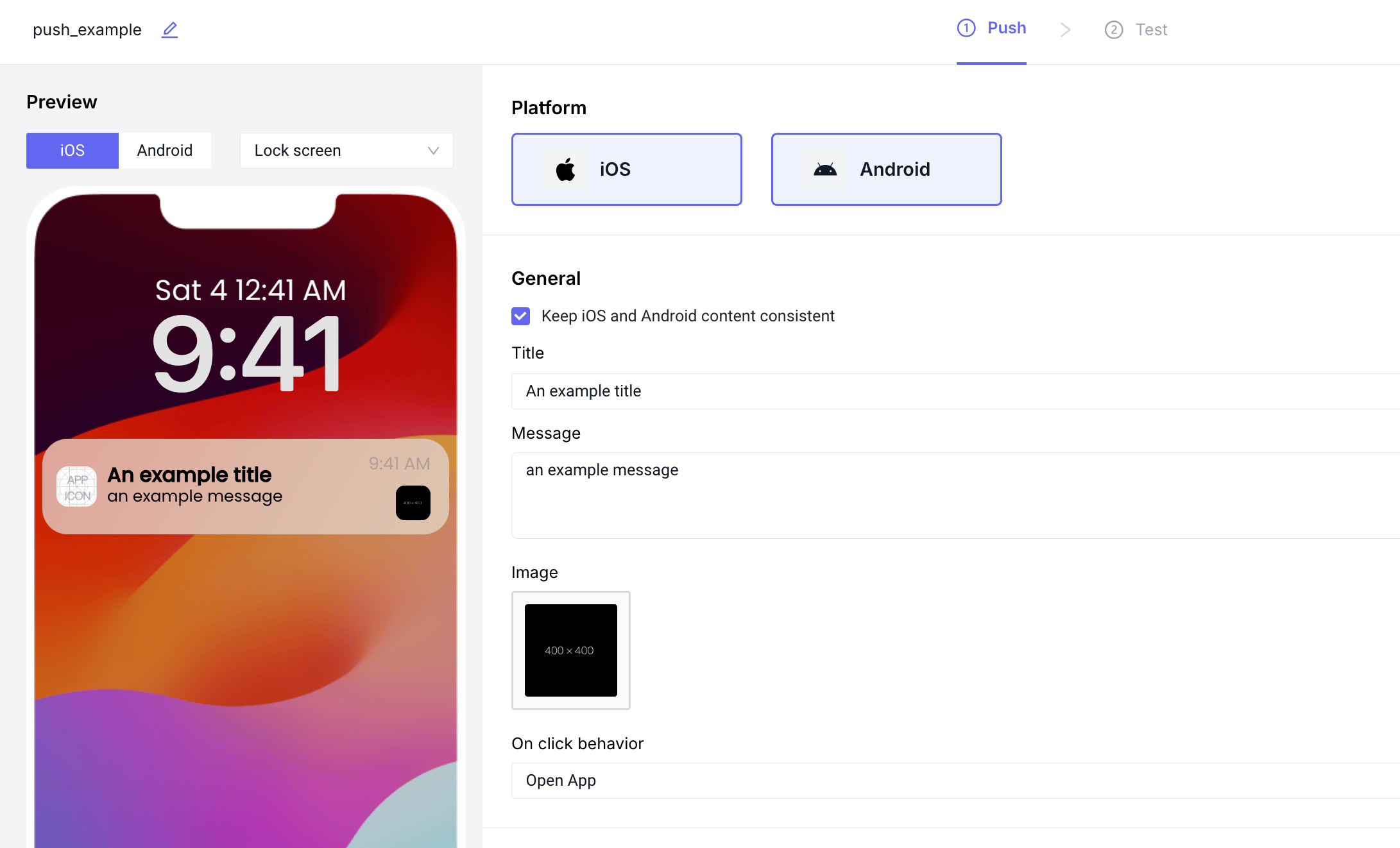
Rich push notifications are push notifications with more than just text. For example rich push notifications can include media (images, video, gifs) or more complex interactivity. To be able to send and receive rich push notifications, you need to create a notification service extension
1. Creating a service extension
The first step is to add a service extension to your application. File > New > Target in Xcode and select Notification Service Extension.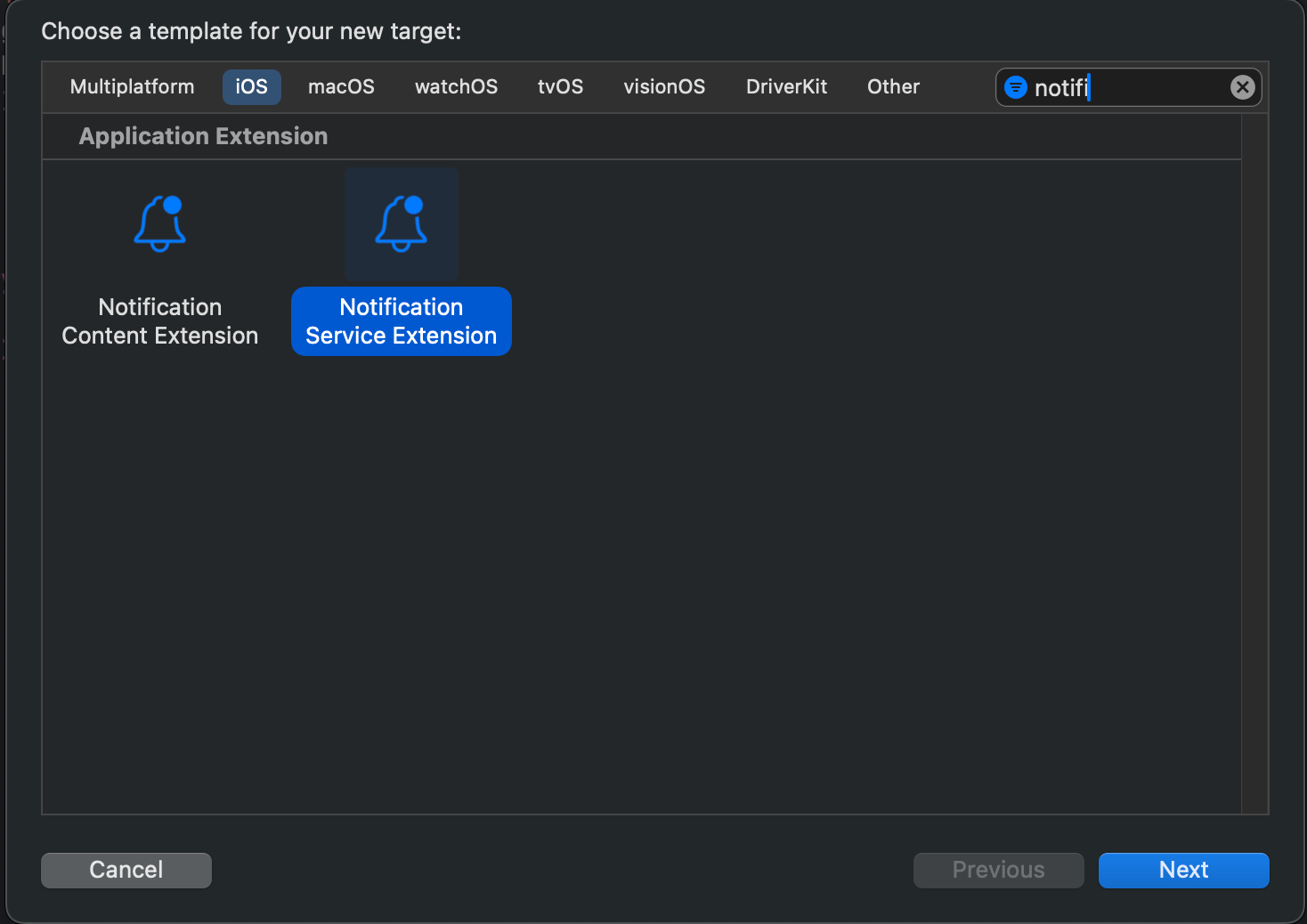
2. Setting up the notification service extension
A notification service extension is its own binary that is bundled with your app. Make sure your notification service extension bundle identifier is based on your main app target bundle identifier. For example, if your main app is com.example.appWithLaudspeaker your notification service extension extension could be com.example.appWithLaudspeaker.NotificationExtension

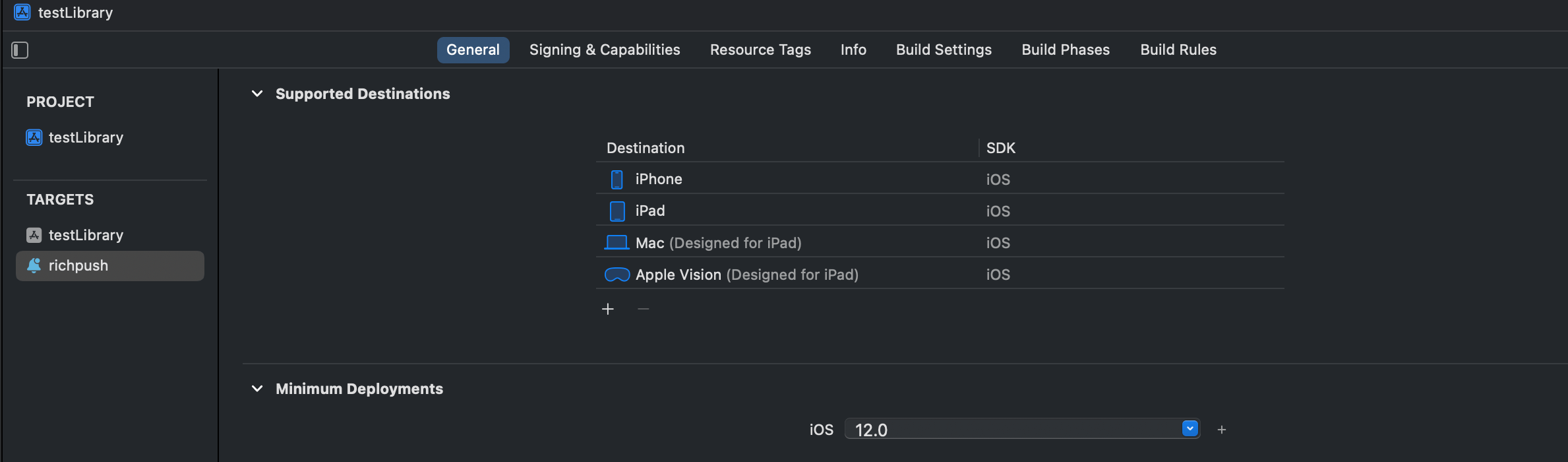
3. Integrating rich push notifications
To add Manually: paste this code to into the NotificationServiceExtension file:4. Creating a rich notification and Testing
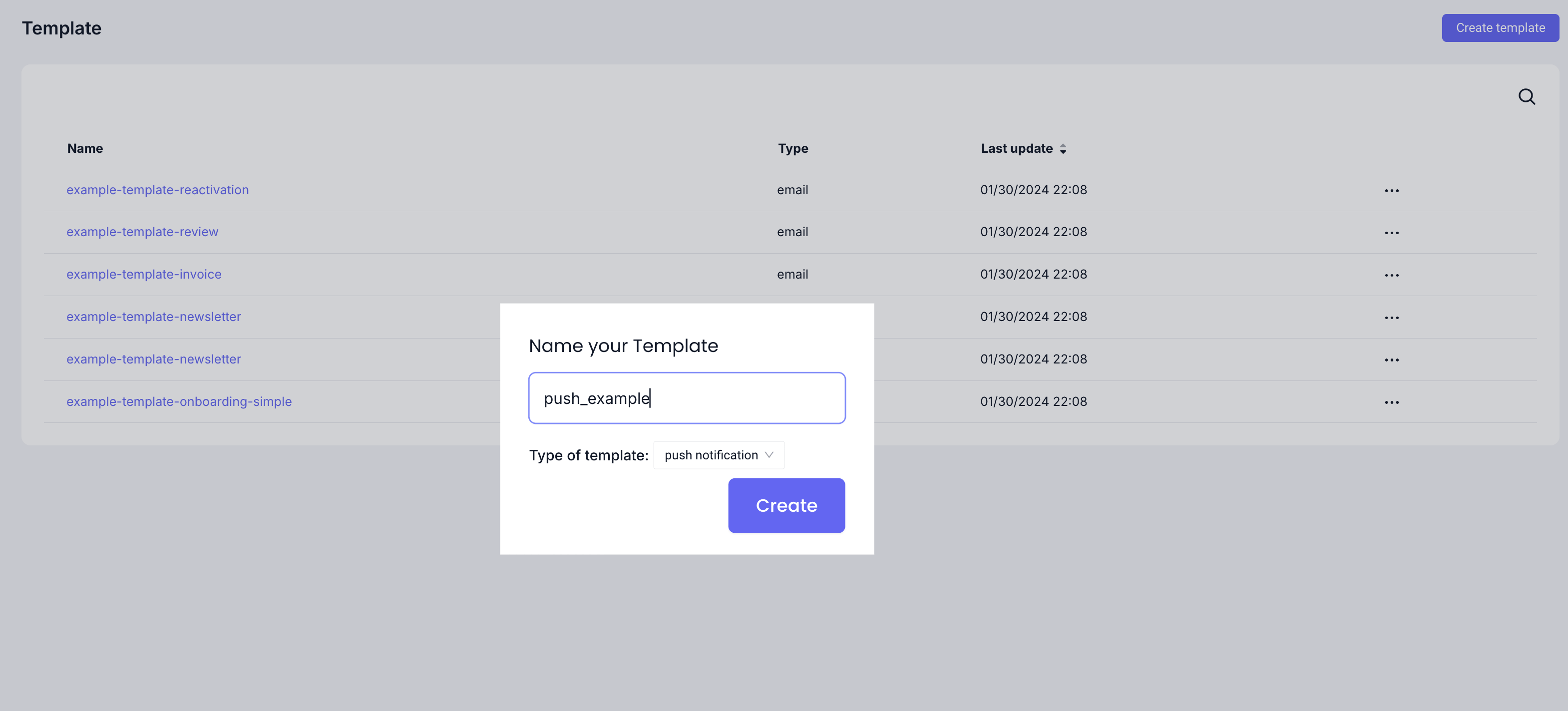
To test, you will need a real device, and access to its firebase device token Then go to the template page and create a push notification