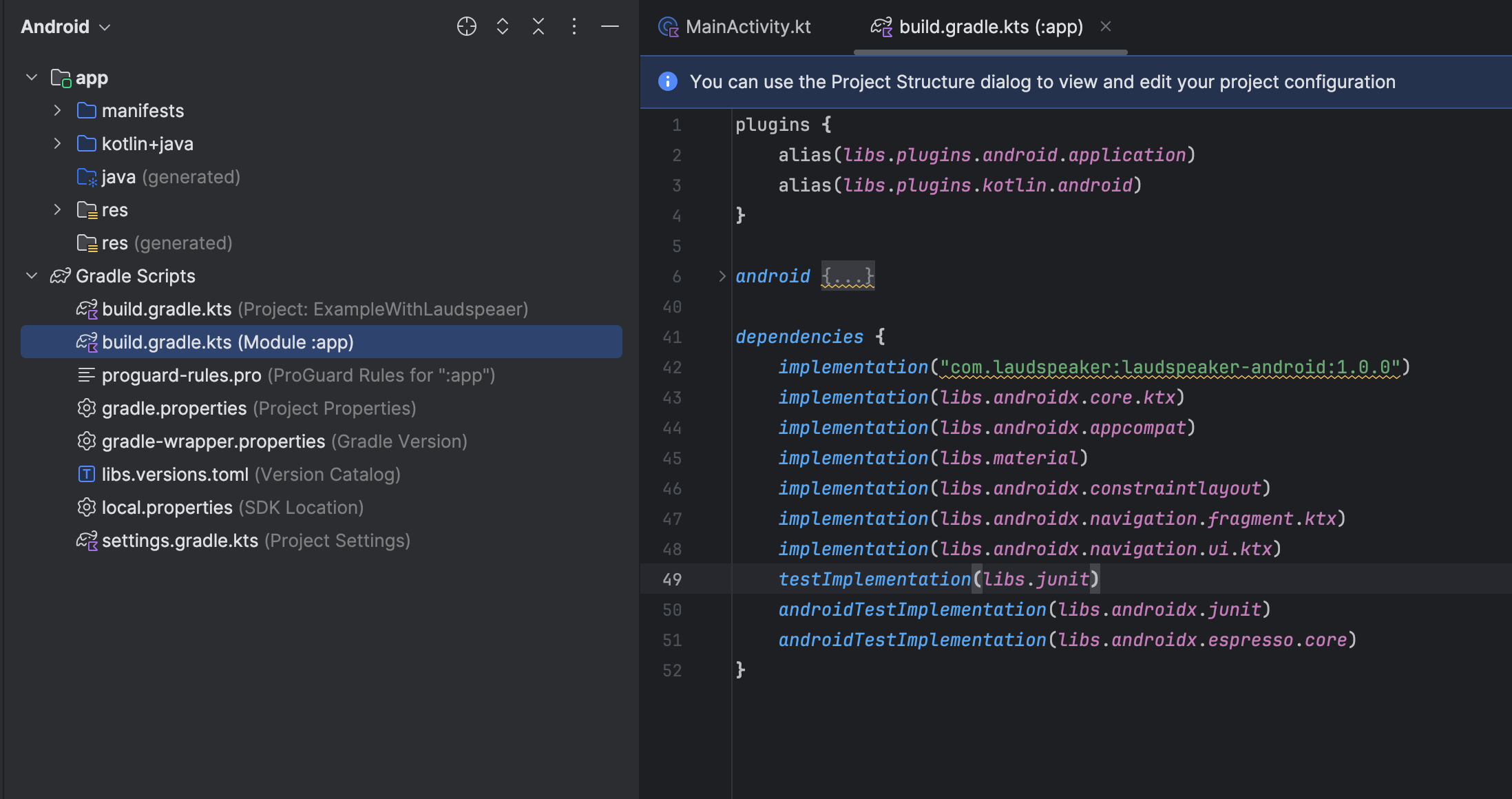
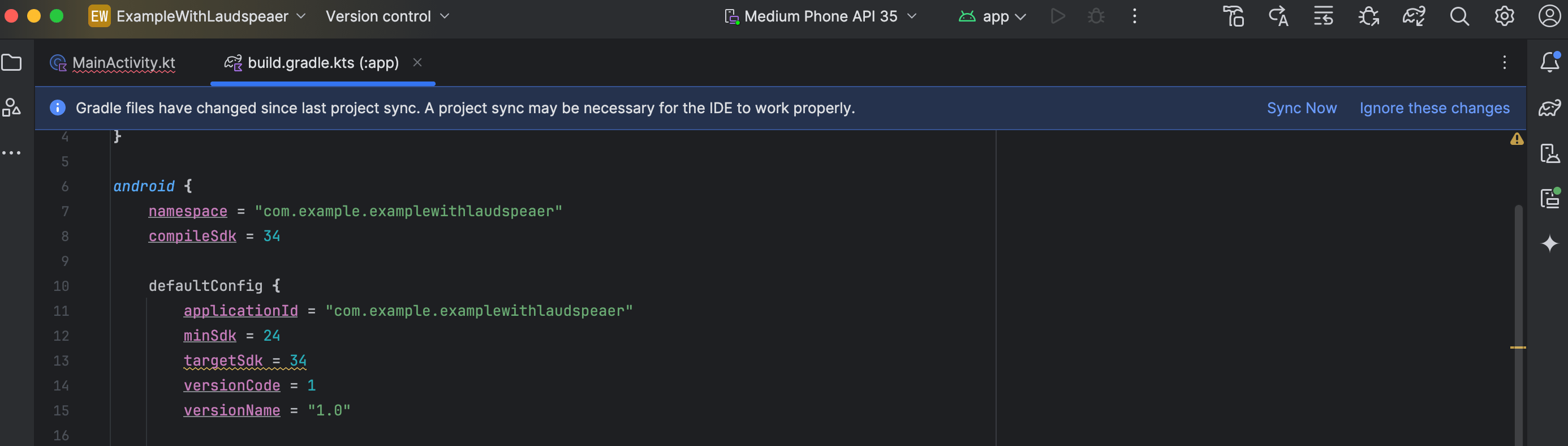
Laudspeaker currently requires users to also use firebase, you will need to install firebase seperately: https://firebase.google.com/docs/android/setup , import the library in your project and download the google-services.json.
Specific Tutorials
Adding Push Notifications
Start Here to send push notifications to your android app!
Tracking Events
Track default, message and custom events to better understand your app!
Installing Firebase
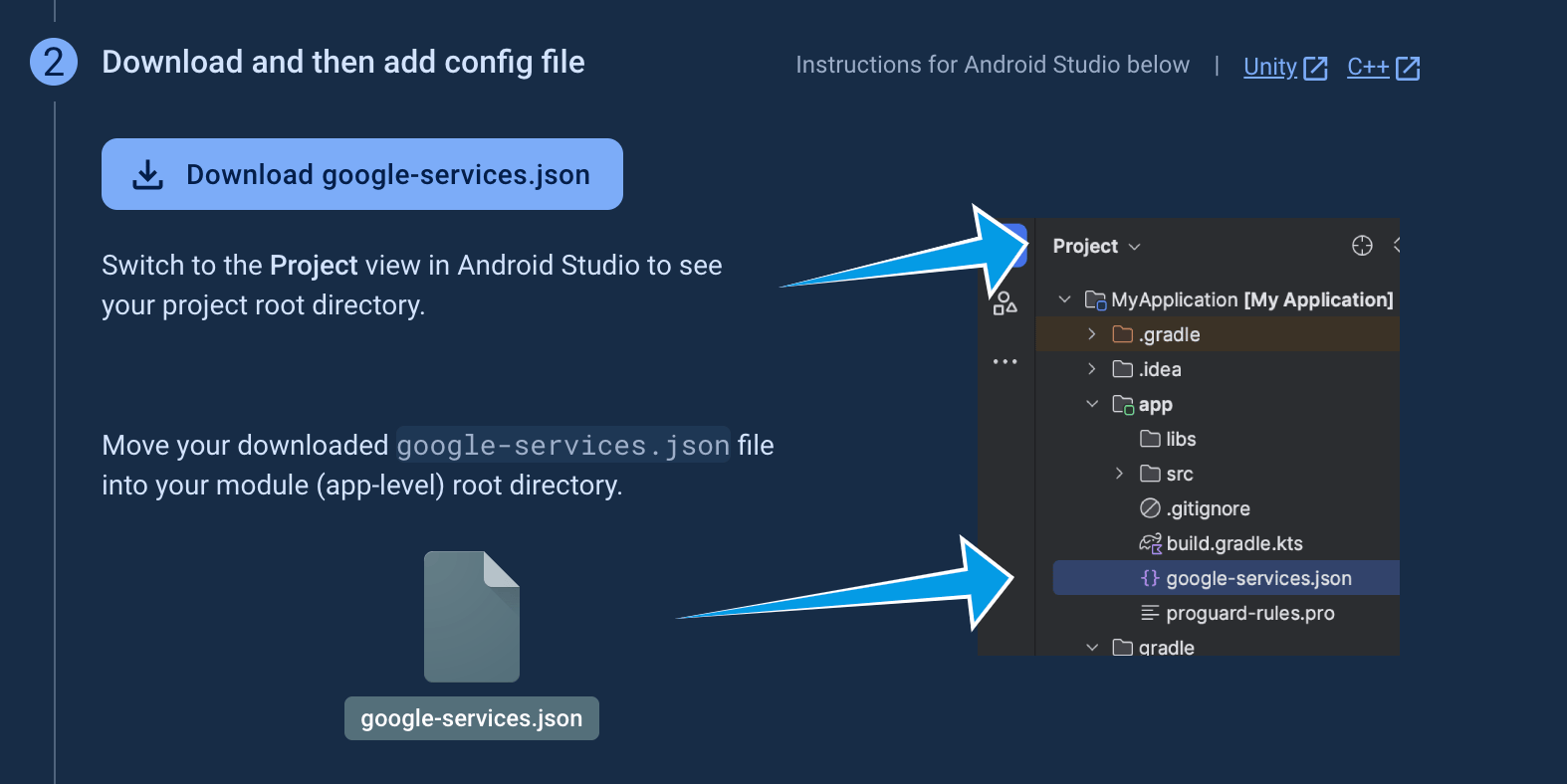
You need to make sure firebase is installed correctly in your application, before you can use Laudspeaker. To start you need to include the right google-services.json file in your project. To do that change your view in android studio to the project view, and move the google-services.json file (which you can get from your firebase account) into into your module (app-level) root directory.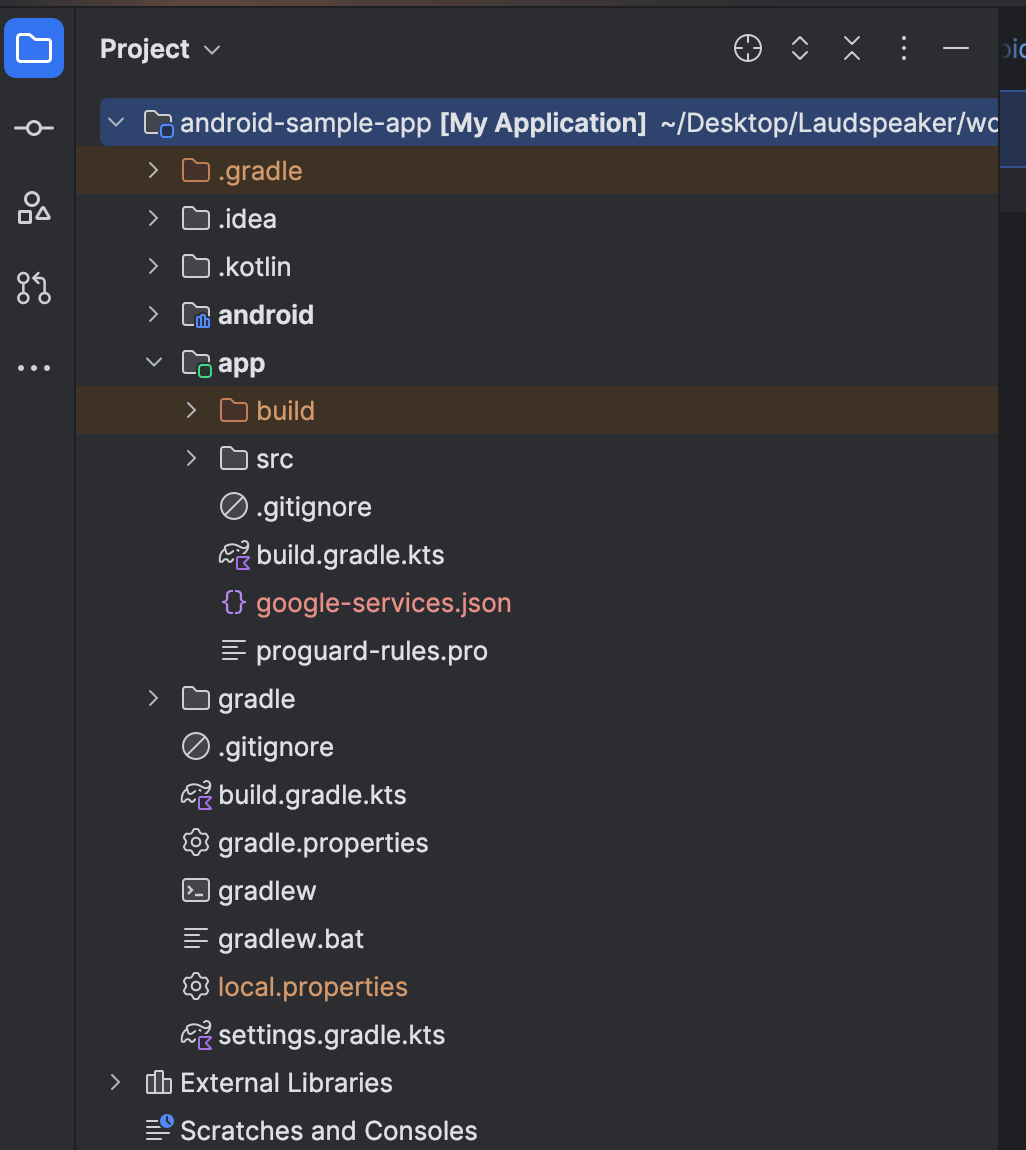
Installation
To use Laudspeaker in your app you should add our package as a dependency. In your Android project open your Appbuild.gradle (Module: app) file, add